Dailymotion is rated as the second largest platform for watching videos online and it is one of the biggest competitors against YouTube. Here users can enjoy browsing; they can upload videos by simply initiating a search on the basis of channels, tags, and user-created groups. The maximum file size for any video over Dailymotion can be 4GB whereas the maximum duration is restricted to 60 minutes. If you want to download videos from Dailymotion, click here.
- It was created in the year 2005 and is well known as a French Website.
- It allows users to upload, share, and video videos with ease.
- Dailymotion can be used to make money online by simply sharing videos on social media sites.
- You can find millions of videos on Dailymotion and lots of fresh content is updated every day with high-quality videos.

Create an Account or Log in
Step 1: In order to create your account on Dailymotion you need to visit Dailymotion.com from your browser and then hit the Sign-in option over there.
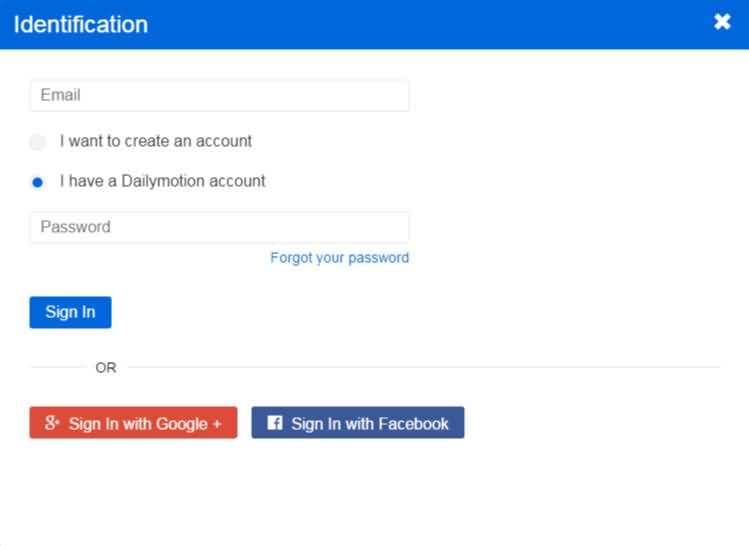
Step 2: As soon as you hit the sign-in option, it will open a new Popup window on your screen. Here you can fill the form by entering your email ID and Password. Finally hit the Create option.
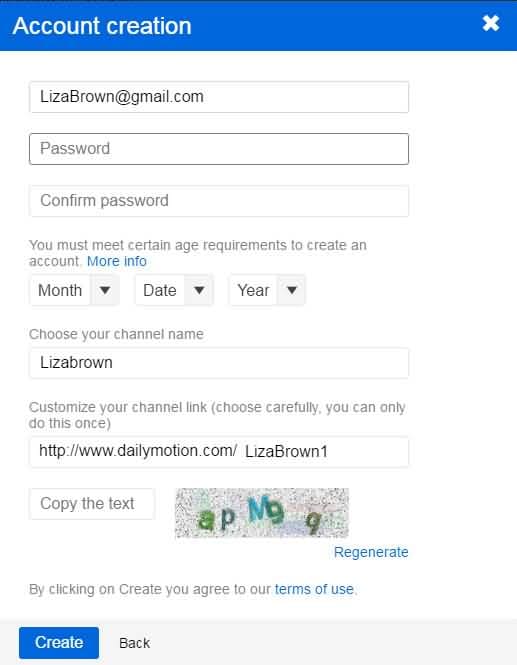
Step 3: Now, one more popup window will be opened on your device. In this window, you have to select your user name for the Dailymotion account. Check if your preferred username is available on the list and then click on the create button. Your account is ready now.
2.How to stream on Dailymotion?
It is much easier to stream videos on the Dailymotion platform and the process can be easy followed by beginners too.
Note: To use live streaming functionality, you must be a partner.
Here are a few simple steps to stream on Dailymotion:
- Hit the Upload a Video button on your Dailymotion page as a placeholder, but it must be over 30 seconds.
- Choose your video from the computer or start recording with a webcam. It allows a maximum of 60 minutes duration for videos and can process HD videos with ease.
- Go to your video’s page and then click the Edit button on the top left of the video player.
- Then choose Live from the radial menu.
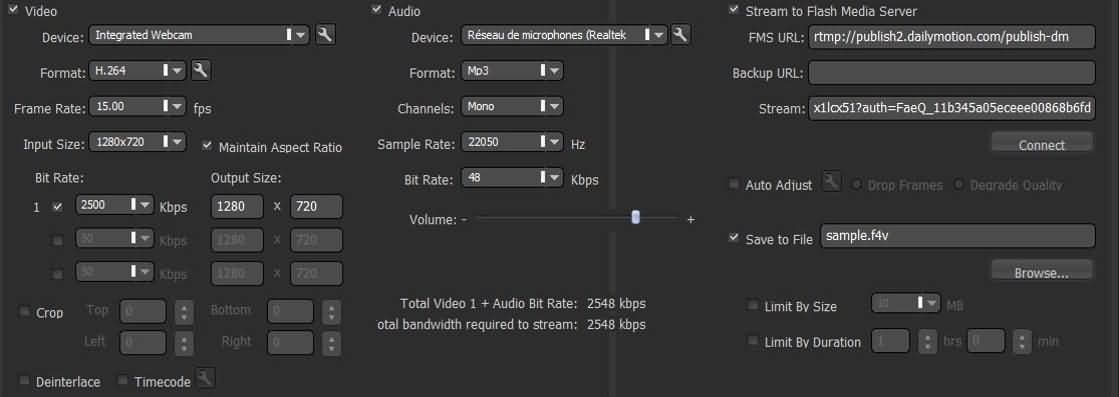
- Set up your stream and encoder, you can use Xsplit broadcaster, OBS, and Wirecast.
- Complete your provided server address and stream name.
- Then start to push your stream.
3.Is Dailymotion Safe?
Dailymotion is rated as 92% safe with an 87% child safety parameter. Still, in order to improve child safety, one needs to use additional filters over the browser. As this site usually follow a different kind of ads that are not rated as good for kids so to ensure 100% safety it is better to add other filters on the channel. The other idea to improve ad safety is just to add some adblockers like adguard or ad blocker.
If we talk about viruses and malware then Dailymotion is found to be 100% safe for your system.